
Pattern basics
Quilt pattern vs. quilt template: what is the difference?
A template is a shape. A pattern is the plan that tells you what to do with that shape. Both are useful, but they do not carry the same amount of making information.
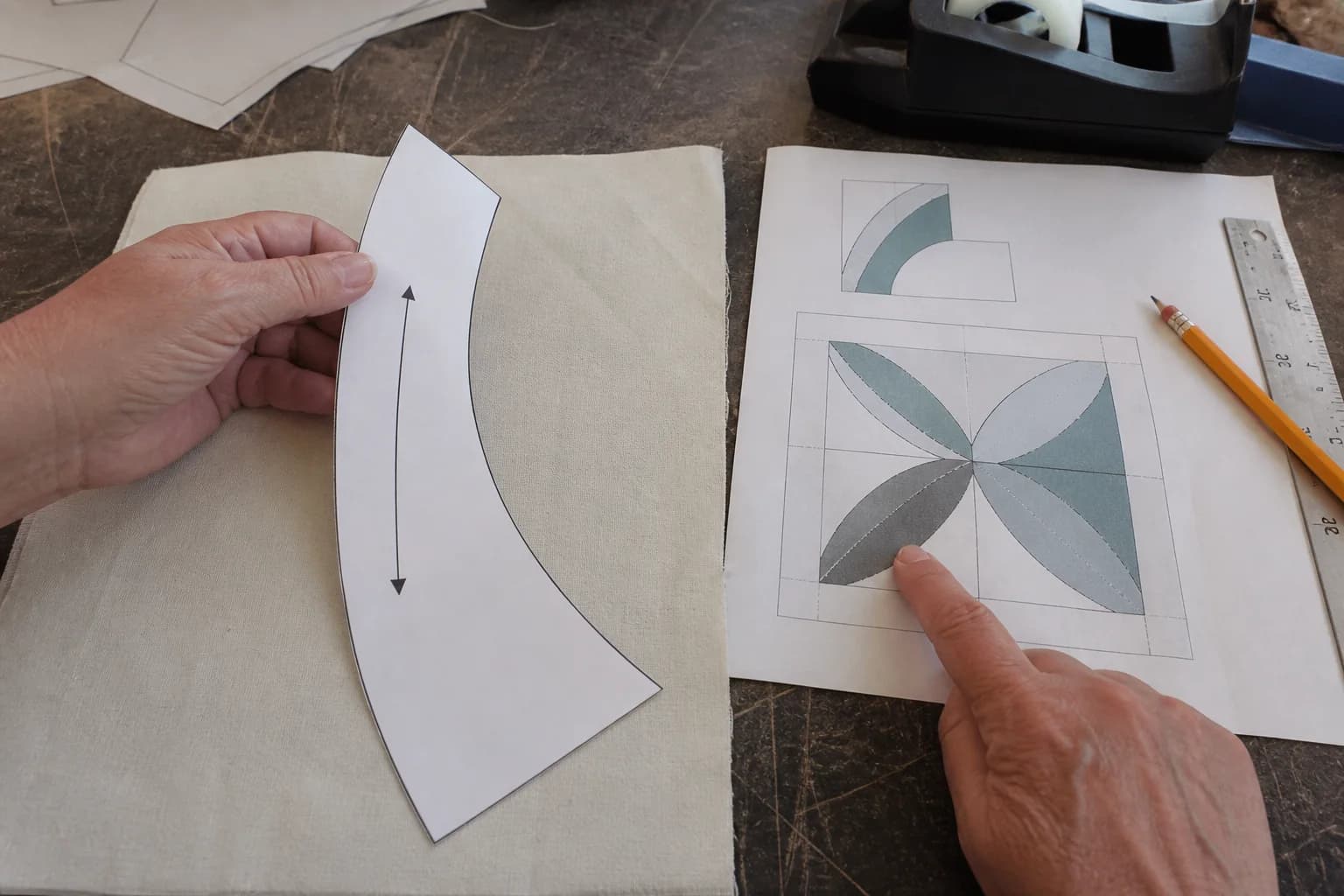
A template gives you a repeatable shape
A quilt template is a guide for drawing, cutting, or trimming one shape. It might be a paper piece printed in a PDF, a plastic ruler, a freezer-paper shape for appliqué, or a multi-page outline you tape together. Templates are especially handy when a shape is curved, angled, or awkward to measure with a rotary ruler alone.
What a template does not automatically provide is context. A petal template does not tell you how many petals belong in the block, which fabric goes behind it, whether it is turned-edge appliqué or raw-edge appliqué, or how the finished block joins its neighbors. Those decisions belong in the pattern instructions.
A pattern coordinates all the moving parts
A complete quilt pattern normally supplies a finished size, materials or fabric key, cutting or template directions, seam allowance where relevant, and an assembly order. The exact package varies by technique. A rotary-cut pattern may have measurements and diagrams but no full-size shapes. An FPP pattern may have numbered foundation sections, trim lines, and joining maps. An appliqué pattern may have placement guides and finishing directions.
The important question is not whether the pattern is long. It is whether a maker can move from fabric to a finished top without inventing construction facts. A short, well-drawn baby-quilt pattern can be complete. A thick PDF with beautiful art can still leave out the one dimension that determines every cut.
Read the labels around the line
Before tracing, find the note that explains the template. Look for words such as cut line, sew line, add seam allowance, on fold, grainline, and reverse for pair. These are not decoration. A “cut on fold” piece can be too small if you cut it as a single layer. A mirrored piece can change the direction of a bird, leaf, or curve.
If several templates look nearly identical, label them immediately with the pattern's name and letter. Store them in an envelope after tracing. A two-inch difference in a curved template can be hard to see after the paper is separated from the instructions.
Template page check
- Is this page a cutting template, a sewing foundation, or a placement guide?
- Does the line include seam allowance, or must you add it?
- Does it need printing at actual size and a measured test square?
- How many pieces are required, and which are reversed or cut on a fold?
- Where does this piece appear in the finished block or layout?
Scale is part of the template
For a printable full-size template, choose Actual size or 100% in the print dialog, then measure the printed test square with a ruler. “Fit to page” can make a small change that repeats through every piece. A digital ruler on screen is not enough because the printer, paper size, and page margins are where the scale can shift.
Once the square measures correctly, print the remaining pages and follow the pattern's registration marks when taping. Trim only the margins the instructions name. If a template spans pages, a faint seam of paper tape can slightly affect tracing, so keep the joins smooth and trace slowly.
Templates also differ by technique
For conventional piecing, a template may be a cutting guide for a shape that will be sewn along its edges. For appliqué, the template may represent the finished visible shape, while seam allowance is added around it according to the chosen method. For FPP, the printed page is a foundation: its numbered lines are sewn in sequence and its outer trim line controls the section size. Calling all three “templates” without the method can cause a costly misunderstanding.
When the method is unclear, stop at the source instructions instead of trying to convert one style into another. A clean looking outline does not show that it can be foundation pieced, and a layout you can rearrange is not a replacement for cutting directions. Learn the difference between an editable layout and a pattern if you are considering changes to an existing design.
Use the right tool for the next decision
If you need to know where a shape goes, use the assembly diagram. If you need its printed size, use the scale box. If you need its cut size or seam allowance, use the written instructions. If you need to change the layout, make a new plan before cutting. Those distinctions feel fussy at first, but they are what let a template do its small, useful job well.
The questions that come up next
Common questions
Do templates include seam allowance?
Sometimes, but not always. The pattern should say whether the drawn line is the cutting line, sewing line, or finished shape. Do not add or remove seam allowance until that note is clear.
Can I use a template without the original pattern?
You can use it as a shape reference, but it may not tell you quantity, placement, fabric assignment, finished size, or assembly order. Draft those choices deliberately rather than treating the page as complete instructions.
Are acrylic templates the same as paper templates?
They can represent the same shape, but they may use different markings or seam-allowance conventions. Check the product directions and compare its stated measurement to the pattern before cutting.
Keep the project moving