
Foundation paper piecing
How to print FPP patterns at the right size
A foundation can be beautifully numbered and still make the wrong size block if it prints even a little small. The paper test square is the check that matters.
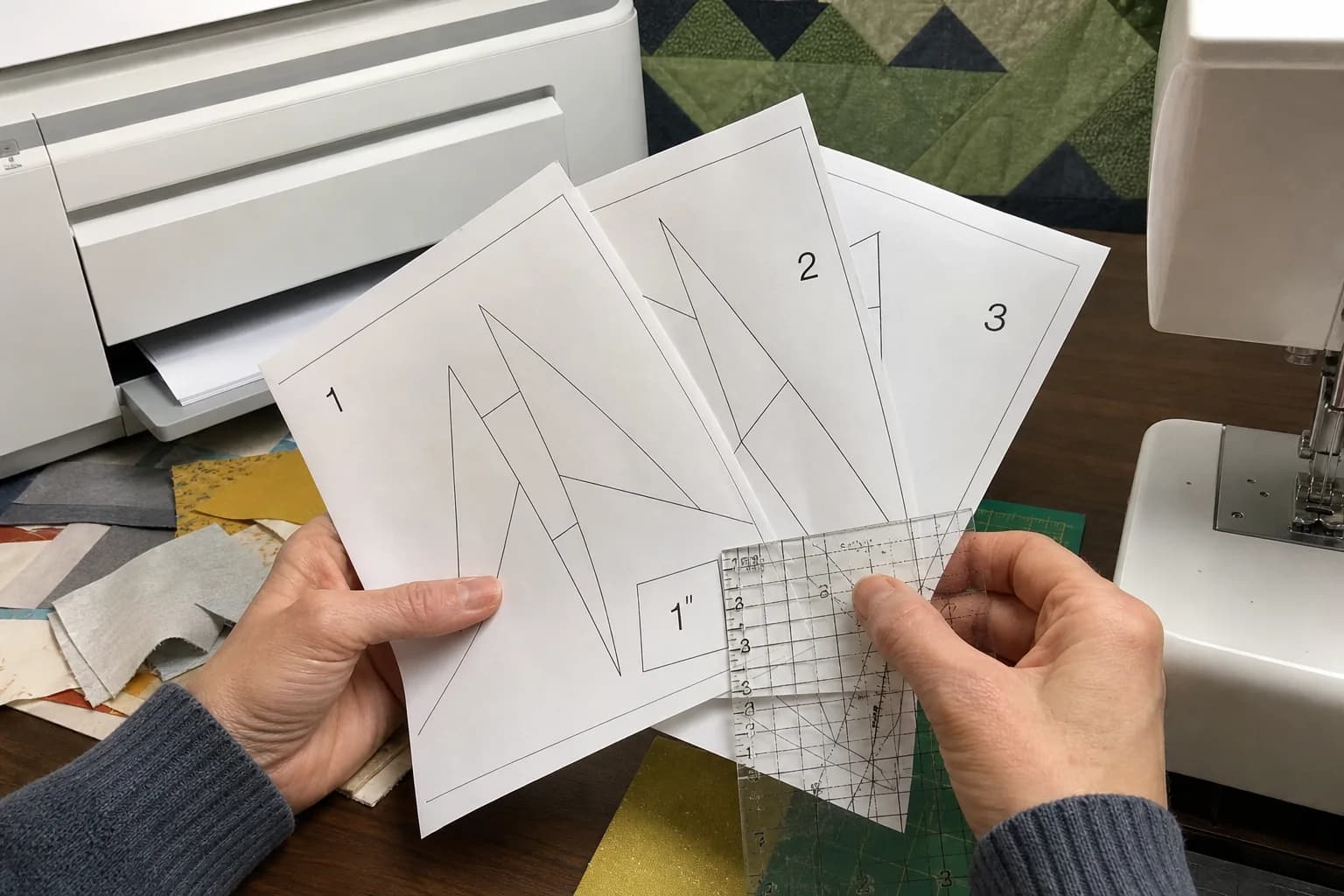
At the cutting table
What to notice first
- Which print setting to choose
- How to measure the FPP test square
- How to tape tiled pages
- What to do when scale is wrong
Print one foundation page first
Do not send a whole packet to the printer on the first try. Open the PDF, find a page with the pattern's test square, and print that page alone. In the print dialog choose Actual size, 100%, or No scaling. Turn off Fit, Shrink oversized pages, Scale to printable area, and similar automatic settings. The exact label changes between printers; the physical test square tells you whether you found the right one.
FPP is unusually sensitive to this because the paper is the sewing map. A page printed at 96% may still look tidy, but the finished sections will not match the dimensions expected by the assembly diagram. The issue becomes visible late, when a row is short or a border cannot fit as drawn.
Measure the test square on paper
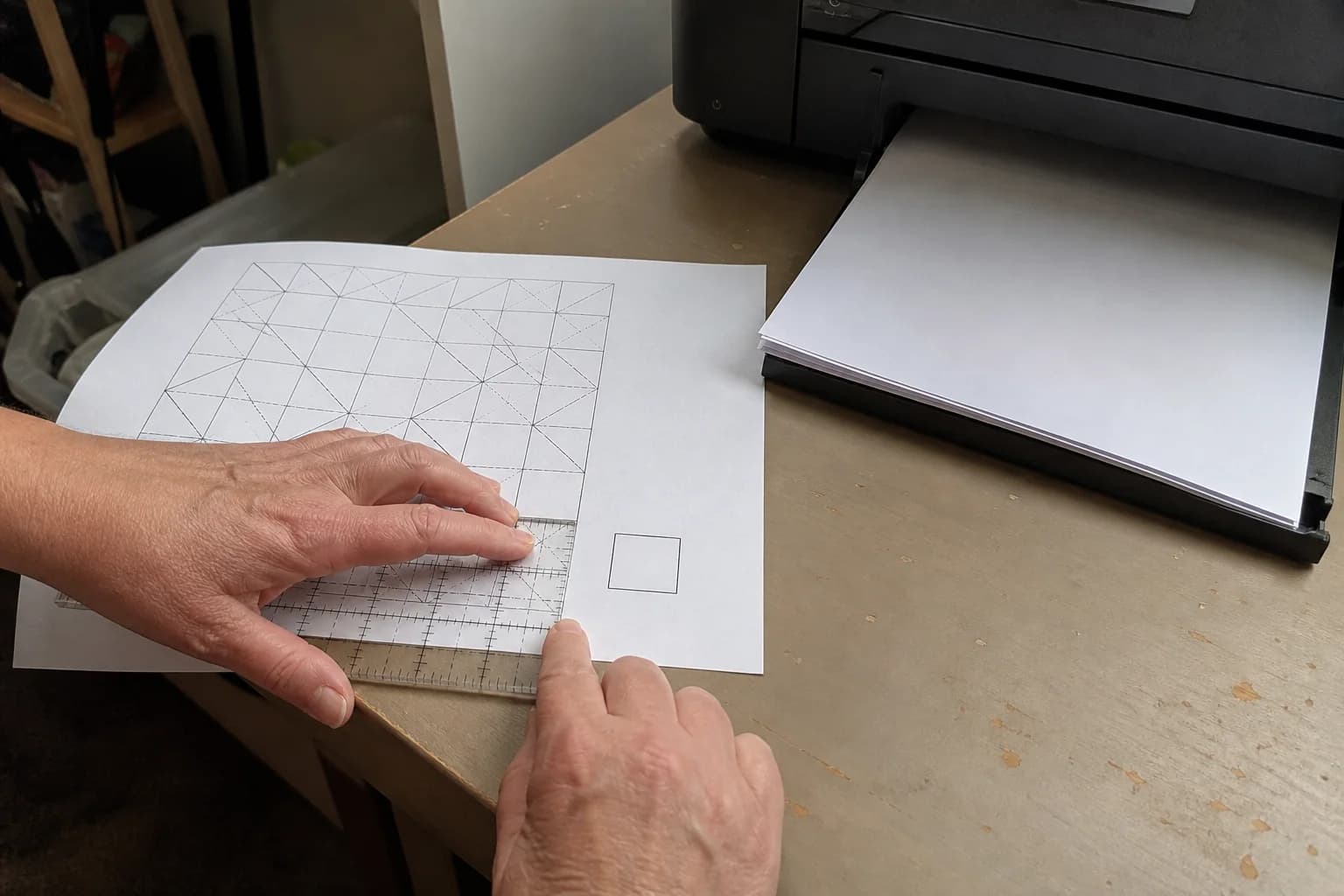
Put a rigid ruler over the printed square and measure it exactly as the label or pattern directions specify. Confirm both the horizontal and vertical measurements. A square that is correct in only one direction still needs attention because uneven printer scaling can distort the shape as well as the size.
If it is wrong, do not compensate by eyeballing a custom percentage unless the pattern gives explicit directions. Return to the dialog, change the scaling setting, and print the test page again. If your printer cannot make the stated size, a different printer is safer than sewing a foundation that is already out of scale.
Choose paper for the job in front of you
Ordinary copy paper works for many projects, particularly when you will make only a few sections. Lightweight foundation paper can be easier to fold and remove. Newsprint-style paper may suit printers that accept it. The useful test is practical: can your printer feed it consistently, can you see the lines clearly, and can you handle the foundation without tearing it before the section is stable?
Whatever you choose, keep the printed side easy to identify. In FPP the printed side is where you see the numbered sewing lines, while fabric usually sits on the reverse side. A stack of foundations turned upside down at the cutting table is a very ordinary source of confusion.
Tape tiled pages only after scale passes
Some foundations are divided across several sheets. First print and measure the page with the test square. Then trim only the overlap margins the pattern identifies, align registration marks or matching lines, and tape the sheets on the back. Keep the join flat. A raised ridge of tape can make folding or sewing on a construction line awkward.
Before putting fabric behind a tiled section, scan along the joined line. A printed seam line should continue cleanly across the tape. If labels or trim lines no longer meet, separate and realign the pages. It is quicker to correct a paper join now than to discover that a finished section is skewed.
FPP print check
- Use Actual size, 100%, or No scaling.
- Print a test page before the full set.
- Measure the square exactly as labeled, checking both directions.
- Check that section labels and numbers are readable.
- For tiled pages, align registration marks before taping the back.
Keep print checking separate from construction checking
A correct test square means the page is the intended size. It does not prove that every fabric choice will cover, every seam sequence is pleasant to sew, or the whole quilt packet is complete. It is one important check before sewing, alongside reading the section labels, checking the numbered order, and making a test section.
Once the paper checks out, read FPP section numbering. If you are working with any full-size template rather than a foundation, our general print-scale guide uses the same ruler-first routine.
The questions that come up next
Common questions
Should I print FPP on special paper?
Use paper that feeds reliably through your printer and suits the pattern directions. Many makers prefer a lightweight foundation paper because it is easier to remove, but the right choice also depends on the printer and your handling preference.
Can I enlarge or reduce an FPP pattern?
Only if you deliberately understand the effect on the finished size, seam allowances, and joining sections. Do not let a printer resize it accidentally. For the stated pattern size, print at actual size and confirm the test square.
Why does the on-screen ruler look correct but the print is wrong?
Screen display scale does not control the printer. Paper size, margins, and options such as Fit to page can change the output, so the physical ruler measurement is the final test.
Quilt math, without the second-guessing
One short email when a new guide or calculator lands. No sales sequence.
You're agreeing to quilt-math emails from Stitchtale. Unsubscribe any time; this is separate from signing in.